- The Lodge Social
- Posts
- Edit Airbnb Listing Photos With AI
Edit Airbnb Listing Photos With AI

Scott Quesnell
April 02, 2026
Today's article is awesome. Go grab a broom quick. You'll need to it sweep your jaw off the floor after it drops.
Here's the hard truth about modern Airbnb buying behavior. People scroll fast. Really fast.
And in those two seconds your property is on screen, the photos are doing 100% of the talking.
No one reads the words. No one cares. It's all about the visual.
Images are the one thing that capture attention or lose it completely.
Things like:
Bad lighting
Too much lighting
Terrible photos of a beautiful sunrise
Kill the vibe before it even starts.
In 2026, great photos on Airbnb are not nice to have. They're required.
50% of the work to get amazing photos is actually taking the photo. Get a tripod. Snap the pic. Move on.
The other 50% is in the editing. Brighten the sky. Pop the colors. Download.
Today, I'm going to give you a Nano Banana Pro prompt to help you turn decent content into scroll stopping listing photos of your property.
This is going to be electric. Are you ready?
Let's dive in.
Note: Articles where I give away prompts are my highest rated. If you agree, rate this article "so good!" below. These take a little longer to make but if you love em, I want to keep making them.
Banana What?
I know. It's a crazy name for an AI tool.
We are NOT using ChatGPT for this project.
Instead, we're using Gemini's (Google) Nano Banana Pro. It's insanely good at image generation.
I've tested it against multiple AI image generation tools and it's leagues ahead. Plus, it's free.
Find it here: Nano Banana Pro
How it works:
You will need an existing listing photo to begin.
If you want to nail the first impression, you need these:
Exterior shot of the property
Golden hour feel
Natural depth and contrast
Soft highlights
Slight color grading
Not overly dramatic or fake
Expect your final output to represent these elements.
Cool? Here's the Nano Banana Pro prompt...
How to Use Nano Banana Pro to Create Scroll Stopping Listing Photos
This is a two part prompt. The first one has zero customization. The second one can be fitted to your unique situation.
You are editing a vacation rental listing photo to increase click-through rate.

Keep the property structure EXACTLY the same.

Do not change layout, size, architecture, or add features that don’t exist.

Convert the lighting to golden hour:

Warm, soft sunlight

Long natural shadows

Subtle glow on the home

Sky with soft sunset tones (orange, pink, light blue)

Apply a cinematic look:

Natural depth and contrast

Soft highlights and gentle shadows

Slight color grading (warm tones, subtle richness)

Light atmospheric feel (not dramatic or fake)

Make the image feel emotionally inviting and scroll-stopping.

Enhance composition so the property stands out clearly at thumbnail size.

Add subtle, realistic signs of life (minimal and natural), such as:

Warm interior lights glowing through windows

Slight outdoor use (chairs slightly pulled out, towel draped, etc.)

Do NOT add anything that does not exist in real life.

Do NOT make the image look staged, fake, or overly edited.

Do NOT over-darken the image.

Keep everything clean, premium, and believable.

The final image should feel like:

“I want to stay here”

Optimize for Airbnb thumbnail performance (small size, fast scroll).
There is no information you need to fill out. Just upload your photo with the text in the same prompt.
This is what I got:
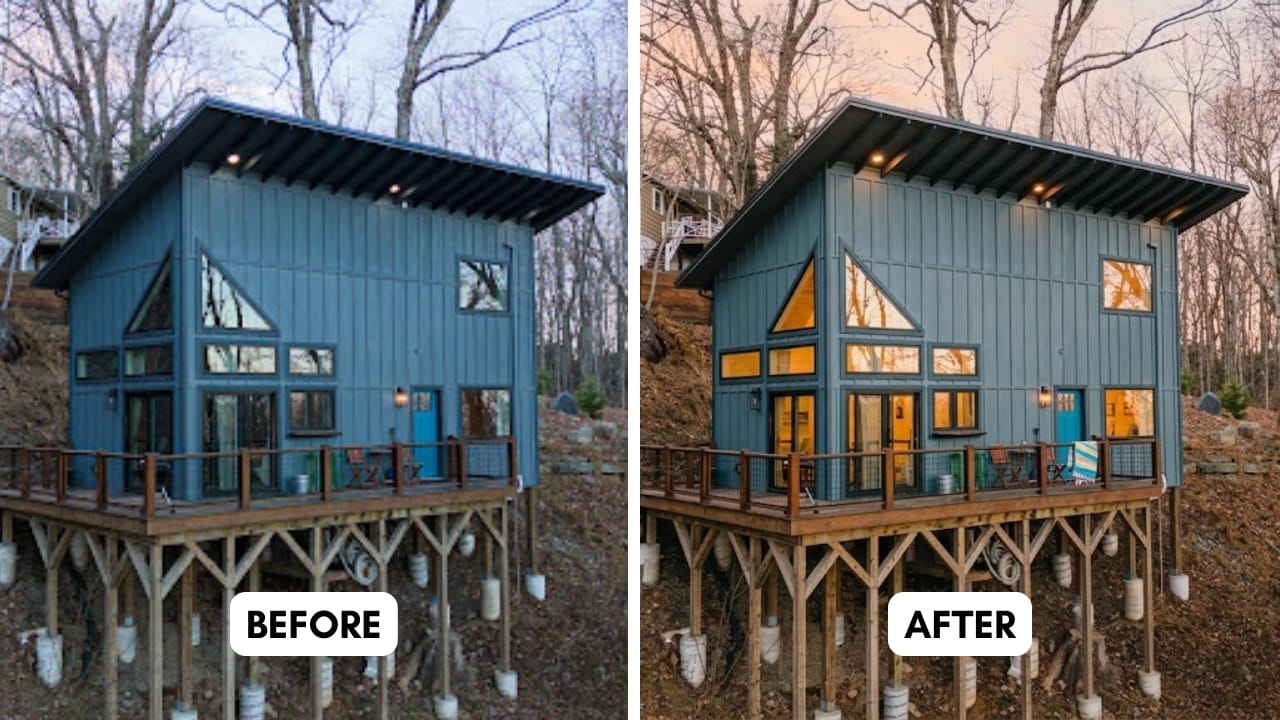
Credit: Sky Haus Boone
Now we move into the second prompt. This is for any customization you want to add like:
Fire Pit
Hot tub
Trees
Humans
Etc...
Check it out:
Add the following element to the image:

Element: [INSERT ELEMENT — hot tub, sauna, fire pit, people, trees, etc.]

Placement:

Position it in: [foreground / midground / background]

Specific location: [left side, right side, near deck, next to house, by window, etc.]

Align it naturally with the layout and perspective of the image

Scale:

Size should be realistic and proportional to the space

Do not oversize or shrink unnaturally

Lighting:

Match the golden hour lighting exactly

Ensure shadows, highlights, and color temperature are consistent

Integration:

Blend seamlessly into the environment (ground contact, shadows, spacing)

Respect depth of field and perspective

Style:

Match the property’s design and level

Keep it clean, premium, and believable

If adding people:

Keep them subtle and not the focus

No faces clearly visible

Natural poses (not staged)

Match the target guest vibe

Do NOT add anything unrealistic, misleading, or that would break guest trust.

The final image should feel like this element has always been part of the property.
Information you need to fill out:
Element: [Insert the thing you want to add]
Position it in (pick one): [foreground / midground / background]
Specific location: [left side, right side, near deck, next to house, by window, etc.]
This is my final output:
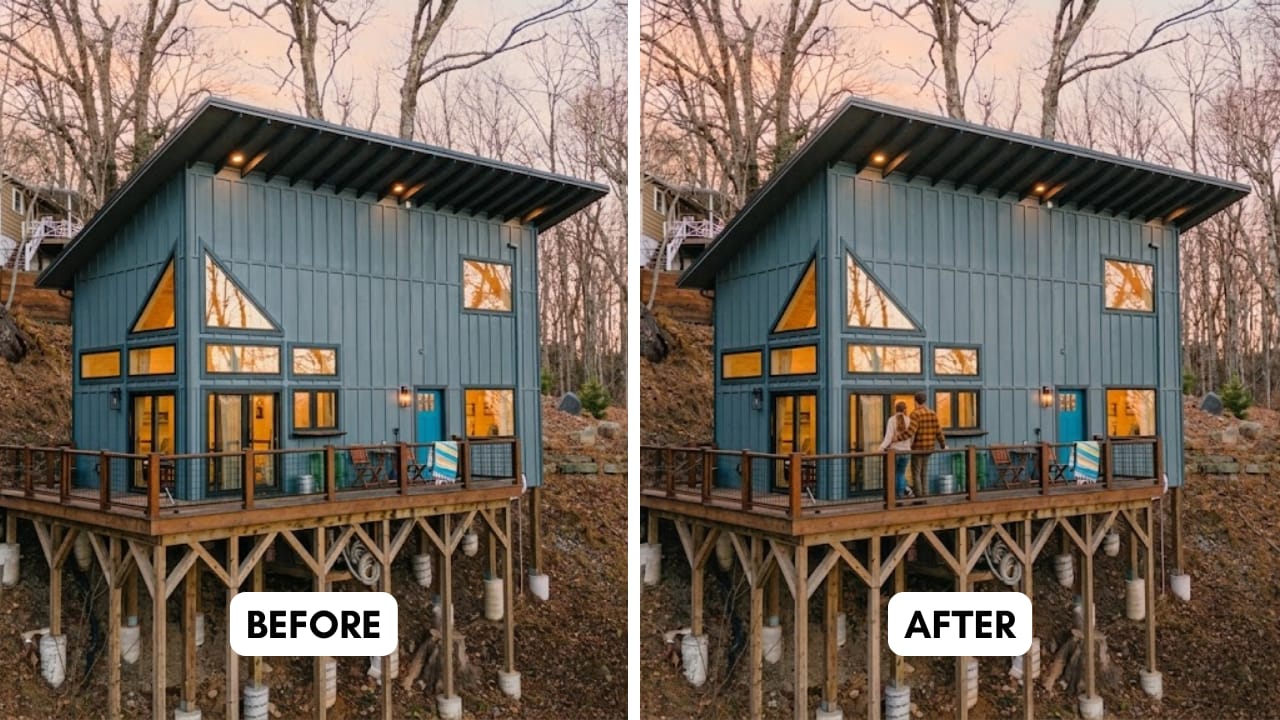
I chose to add people. You can add whatever you want
Your Move
Crazy, right? This took me the better part of five minutes to do.
I hope our new AI friend gave you something you can use.
Photos are the most important part of your listing. Use this Nano Banana Pro prompt to get the clicks - and bookings - you deserve.
That's all for today. I'll see you in the next article.
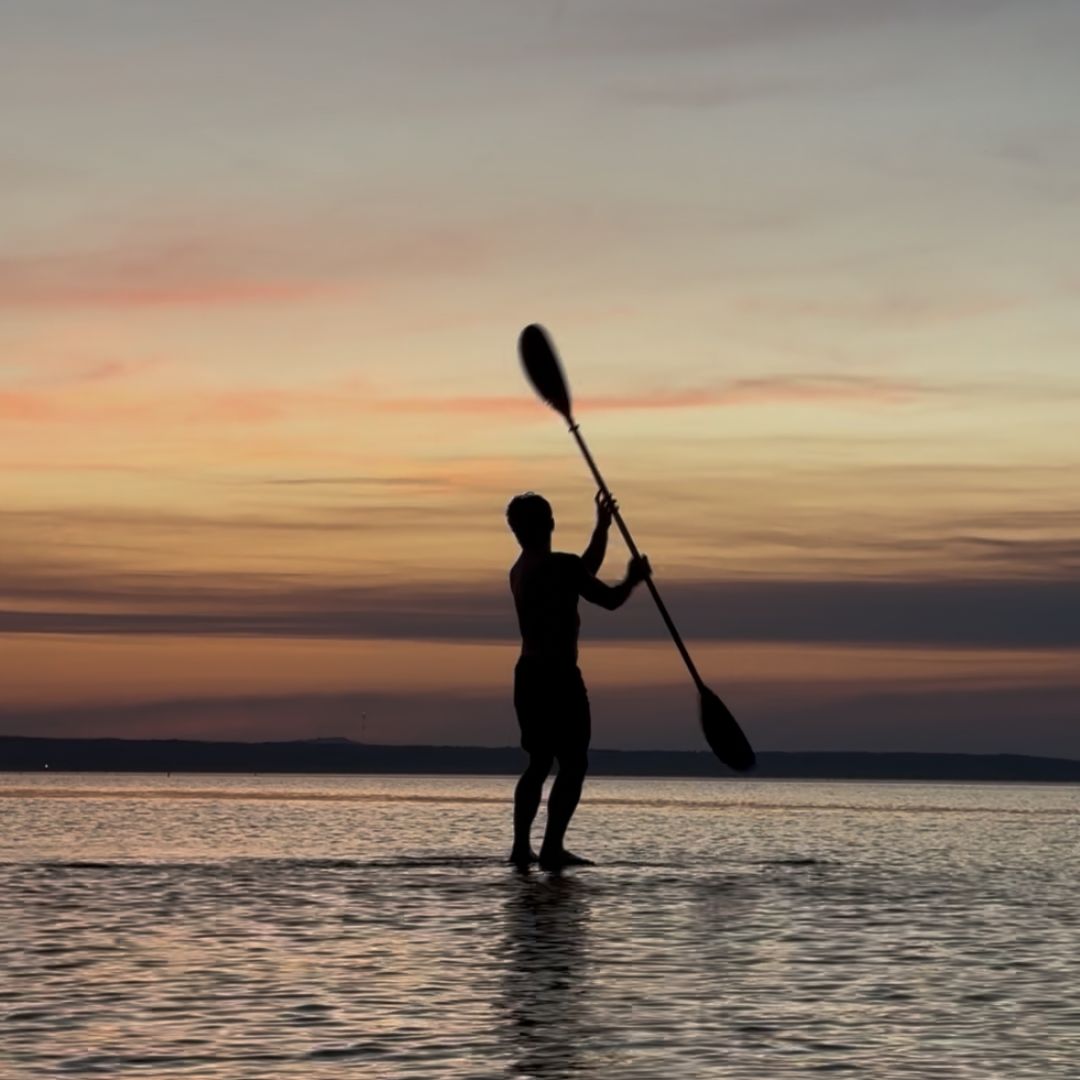
P.S. Writing this from an Airbnb content shoot in Louisiana. Such a great state. 10/10 recommend. It’s just like Minnesota (home) but with alligators. Or crocodiles. Idk the difference. Man eating lizards. There. Let’s settle for that.

Hotel Operators…
Dear hotel operator…
If you didn’t get as many bookings as you want - or deserve - in 2025, this is for you →
Note: Boutique hotels, nature hotels, glamping, RV parks and campgrounds also qualify. Read to learn more →
Links you might like:
How to get bookings without Airbnb (YouTube)
Four STR markets for your next Airbnb (Hostcamp)
What the heck is branding? (The Lodge Social)
Five marketing truths for hosts (Instagram)
How did you like today's newsletter? |